
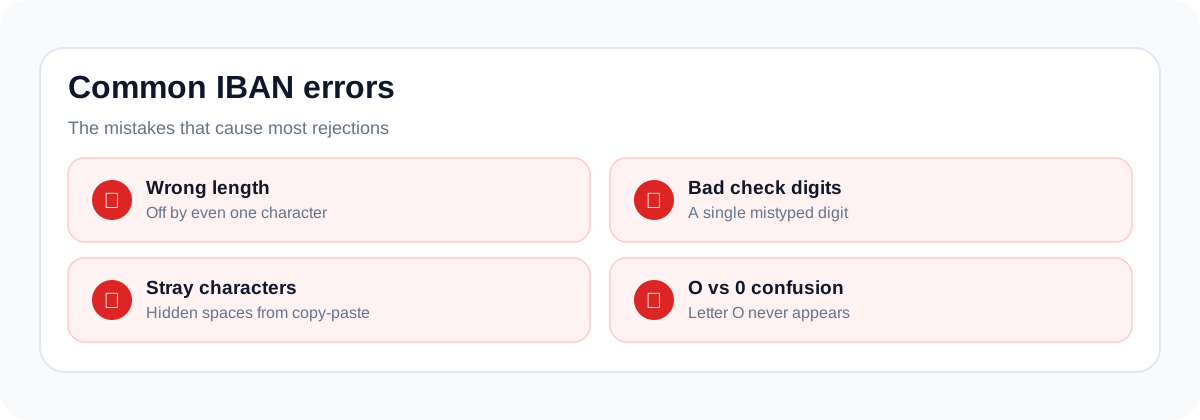
Most IBAN rejections come from a handful of preventable errors: wrong length, failed check digits, stray characters, and confusing the national format with the IBAN. Here's each one and how to fix it.
1. Wrong length
Each country has one exact IBAN length (Germany 22, France 27, Norway 15). Copy-paste often drops or duplicates a character. Fix: count the characters and compare against the country format table.
2. Failed check digits
A single mistyped digit breaks the mod-97 checksum. This is the check digits doing their job: retype carefully or re-copy from the source. Details: check digits explained.
3. Spaces, dashes and invisible characters
IBANs are displayed in groups of four for readability, but some systems choke on spaces: and copy-paste from PDFs can smuggle in non-breaking spaces. Fix: strip all whitespace before submitting; our validator normalizes automatically.
4. Letter/digit confusion
O vs 0, I vs 1, B vs 8: especially in scanned documents. French and Italian IBANs legitimately contain letters, which makes this worse. When in doubt, verify against the bank's own display.
5. Using the national number instead of the IBAN
Submitting a BBAN (sort code + account number) where the IBAN is expected. Fix: convert with the IBAN calculator first.
6. Using test IBANs in production
Generated test values are format-valid by design: which is exactly why they must never reach real payment flows. They are not checked against live directories and can coincidentally match real identifiers.
Troubleshoot in the order the checks run
First compare the country prefix with the bank-issued source. Next count the compact characters, excluding presentation spaces. Then inspect the national pattern and international checksum. This order prevents spending time on checksum arithmetic when a character is already missing.
| Symptom | Likely cause | Useful next step |
|---|---|---|
| Wrong length | Missing final group or leading zero | Copy the complete bank-issued value |
| Invalid characters | Punctuation, OCR error or wrong field | Compare with the original document |
| Checksum failure | One or more mistyped characters | Verify every character; do not guess a correction |
| Local pass, payment rejection | Additional bank, account or scheme checks | Read the payment service’s error and contact the bank |
| Spreadsheet changes value | Identifier stored as numeric data | Import and export the field as text |
A failure does not identify the incorrect digit
MOD-97 tells you the complete string is inconsistent; it does not tell you which character is wrong. Changing the two check digits until the number passes can conceal an error in the underlying account component. A mathematically consistent number can still identify the wrong recipient.
Do not confuse a country pattern with all banking rules
A local validator can check the number of letters and digits and still omit national account checks or current bank-code lookups. Some payment services perform those extra checks. A generated sample can therefore be accepted by a browser tool and rejected by a banking integration without either result being contradictory.
For developers: preserve the original input
Keep the entered text available when displaying an error. Normalize recognized presentation spaces and letter case consistently, but do not replace digits or erase arbitrary characters to force a pass. Store identifiers as strings and avoid a global rule that assumes every IBAN has the same length.
Include valid and invalid fixtures in regression tests, including an alphanumeric national component. Show a distinct message for an unsupported country instead of claiming that every unrecognized value is a nonexistent account.
Sources and scope
Swift: national IBAN formats and registration authority.
Examples and test matrices are explanatory fixtures, not receiving instructions. This page covers format checks and software testing. It does not verify account ownership or provide a guarantee that a payment will succeed.
Technical notes updated 8 October 2026. Read the editorial policy. Send a correction.